
From the cathode-ray-tube displays of yesteryear to the microLED technology of today, hardware manufacturers have been trying to perfect the way in which we enjoy content. When it comes to color accuracy, one of the best choices still seems to be OLED.
Despite decades of research and development devoted to minimizing the burn-in effect, many tech enthusiasts are still wary of this risk and tread cautiously when shopping for a new monitor. One way of preventing this issue from plaguing your model is by employing QuickWallpaper.
Minimizing the compromises that accompany some display types
Burn-in itself has been a larger issue with the old CRT-type screens, so much so that the very first iteration of Windows released back in 1985 featured screensavers designed to display perpetually moving animations across the display whenever you happened to step away from your desk.
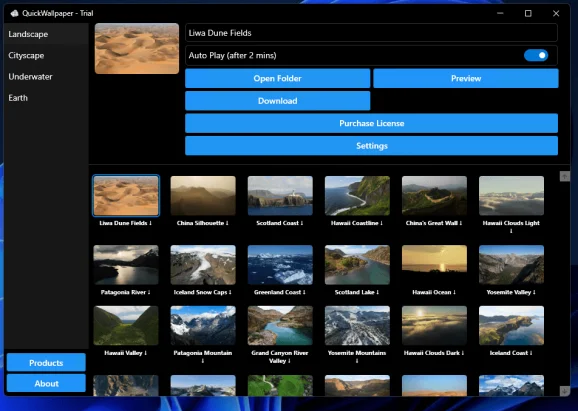
While many folks still prefer the nostalgia-fueling 3D pipes and flying toasters of a bygone era, those seeking a modern counterpart can try out what the app at hand has to offer. Ranging from the snow-capped mountains of Iceland to satellite imagery of our planet, users have plenty of options to choose from.
Automatically safeguarding your display from static UI elements being burned in
Once downloaded, the target animated wallpaper can be set to kick in after 2 minutes of inactivity at a 4K resolution and 240 frames per second, making for a more elegant alternative to displaying the last activity run in the foreground.
On top of the ability to set the program to start automatically when logging into Windows for a hassle-free experience, I appreciate the built-in dark mode toggle that makes the client blend in with Windows’ native utilities.
A straightforward way of setting up custom screensavers
If the lack of an option to tweak the 2-minute inactivity period trigger is not a deal-breaker, QuickWallpaper is an otherwise solid alternative to Windows’ built-in screensavers, ideal for high resolution gaming monitors that also feature high refresh rates.
Screenshots
Downloads